Incident Error Code
Use this function to define an error message for Incident Management to be displayed for incorrect configuration scenarios.
In the main window, click Admin > Incident Management > Incident Error Code. The Incident Error Code window displays.


 New Incident Error Code
|
1.
|
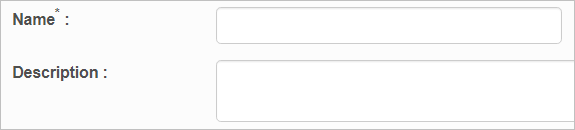
From the Select Actions drop-down list, choose New Incident Error Code. The New Incident Error Code window displays. |
|
2.
|
Enter a Name and Description for this error code. |
Edit Incident Error Code
| |
Not all functions include an option to edit record line items shown in the main window. |
|
1.
|
Navigate to the window containing the record to edit. |
|
2.
|
Click the line containing the record. The applicable window or dialog box displays. |
|
3.
|
Make the necessary modifications. |
|
4.
|
Click Save or Add, as applicable. |
Delete Incident Error Code
| |
Deleting is a permanent action and cannot be undone. Deleting may affect other functionality and information in the application such as data in configured reports, fields in windows, selectable options, etc. Therefore, be sure to understand the potential effects before making a deletion. |
|
1.
|
Click the line that contains the item to delete. |
|
2.
|
From the Select Actions drop-down list, choose Delete. If a confirmation message is displayed, take the appropriate action (for example, click OK or Continue). |
Other Functions and Page Elements